Updated October 31, 2026 · Prices and status checked October 31, 2026
Quick answer: the best remove.bg alternatives
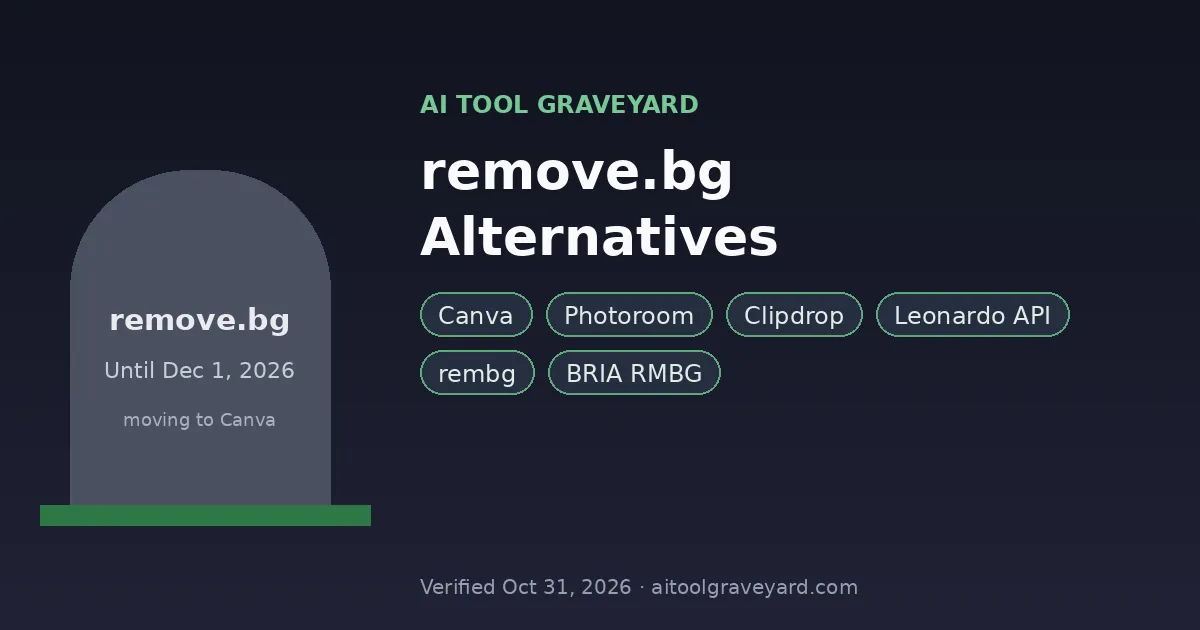
remove.bg says its standalone website will no longer be available from December 1, 2026 at 9:00 a.m. CET. Background removal is moving into Canva, and the API is moving to Leonardo.Ai. For most people the easiest replacement is Canva, which uses the same technology. If you want something free or open source, use Clipdrop (free daily limit) or rembg (MIT license, runs on your own computer).
- Official replacement: Canva Background Remover (Canva Pro, free trial available)
- Best for product photos: Photoroom (Pro from $7.50/month billed yearly)
- Best free web tool: Clipdrop (20 free background removals per 24 hours)
- Best API replacement: Leonardo.Ai API (remove.bg’s official API path)
- Best open source: rembg (MIT license, CLI, Python library or Docker)
- Best open model for research: BRIA RMBG-2.0 (free for non-commercial use)
remove.bg made background removal a one-click job. Upload a photo, wait a few seconds and download a clean cutout. Millions of sellers, designers and developers built it into their daily work, often through its API or Photoshop plugin.
That standalone product is ending. remove.bg has been part of Canva since 2021, and Canva is now folding it into its own platform. If you use remove.bg today, you have about a month to move. Below we explain exactly what is changing, then compare six alternatives we checked on their official pages on October 31, 2026.
Is remove.bg shutting down?
Yes, the standalone site is. According to the official remove.bg FAQ:
- December 1, 2026, 9:00 a.m. CET: the remove.bg website and accounts stop being available.
- Web users are pointed to Canva, which “uses the same background-removal technology as remove.bg”.
- API users: the self-service API stops accepting requests on December 1. Self-service users are pointed to Leonardo.Ai’s API. Enterprise API contracts are not affected.
- Subscriptions keep working until December 1 and then end automatically. Annual plans get a pro-rata refund for unused time. Any final monthly renewal on or after November 1 is free.
- Pay-as-you-go credits expire on December 1, 2026.
- The Photoshop plugin and other integrations are discontinued on December 1.
Before the deadline, use your remaining credits and download your credit usage report and invoices from your Account page. remove.bg says you will not be able to download them afterwards. You can follow the status on our remove.bg tracker page.
What to look for in a remove.bg alternative
- Free use: remove.bg gave free low-resolution previews. Check daily limits and output resolution on free plans.
- Bulk processing: many sellers need dozens of images at once.
- An API: if your shop or app calls remove.bg automatically, you need a drop-in API before December 1.
- Commercial license: open models are not always free for business use.
- Staying power: small tools close too. maskr.io, a background-removal service, shut down on October 24, 2026.
remove.bg alternatives compared
Prices are in US dollars, checked on each official page on October 31, 2026. “Paid from” is the lowest listed paid price.
| Tool | Best for | Free option | Paid from | API or self-host |
|---|---|---|---|---|
| Canva | Official replacement | Free trial of Pro | Canva Pro | Canva apps |
| Photoroom | Product photos | Free trial | $7.50/mo (yearly) | Yes, API |
| Clipdrop | Quick free cutouts | 20 per 24 hours | Pro plan | Yes, API |
| Leonardo.Ai API | Replacing the remove.bg API | See Leonardo | See Leonardo pricing | Yes, API |
| rembg | Free and open source | Free (MIT) | Free | Self-host |
| BRIA RMBG-2.0 | Open model for research | Non-commercial | Bria API | Self-host or API |
The 6 best remove.bg alternatives in 2026
1. Canva: the official remove.bg replacement
Canva is where remove.bg is going. Its Background Remover removes a photo background in one click inside any design, and Canva supports bulk background removal. remove.bg’s FAQ says Canva uses the same background-removal technology, and that more features will be added before December 1, 2026. It is part of the Canva Pro bundle, so you need Pro or a Pro trial. Read our Canva Magic Studio page for Canva’s other AI tools.
Best for: remove.bg web users who want the same results with no new learning curve.
- Pros: Same technology as remove.bg. Bulk removal. You can keep designing in the same place.
- Cons: Needs Canva Pro. Not a simple one-page tool like remove.bg.
- Pricing: Part of Canva Pro, with a free Pro trial. See official plans.
2. Photoroom: best for product photos
Photoroom is an active AI photo editor built for online sellers. It removes backgrounds and then adds AI backgrounds, shadows and product scenes, which saves a step if you sell on marketplaces. It also offers an API.
Best for: E-commerce sellers who need clean product photos at volume.
- Pros: Strong cutouts plus AI backgrounds and product scenes. Mobile and web apps.
- Cons: Credits and export limits on each plan. More than you need for one-off cutouts.
- Pricing: Free trial. Pro is $7.50 a month billed yearly, Max $20.99 and Ultra $82.50. See official plans.
3. Clipdrop: best free web tool
Clipdrop is a set of AI image tools that includes background removal, cleanup and upscaling. Its free plan includes 20 background removals every 24 hours. Note that Clipdrop has changed owners: our tracker lists it as Acquired, and its site now links to Jasper.
Best for: Occasional users who want a free remove.bg-style web tool.
- Pros: Free daily allowance. Simple web interface. Other image tools in one place.
- Cons: Free use is capped at 20 removals per day. Ownership has changed, so watch for changes.
- Pricing: Free plan with 20 removals per 24 hours. Pro adds high-resolution limits. See official plans.
4. Leonardo.Ai API: the official API path
If you call the remove.bg API from a shop, app or script, this is the route remove.bg recommends. Its FAQ says the background-removal API is now available through Leonardo.Ai, which Canva also owns, with extra APIs for upscaling and scene generation. remove.bg publishes a migration guide for self-service users.
Best for: Developers who need to replace remove.bg API calls before December 1.
- Pros: Same background-removal technology as the remove.bg API. Official migration path.
- Cons: A new account, key and billing setup. Test output and latency before you switch.
- Pricing: See Leonardo.Ai’s API pricing page before you migrate.
5. rembg: best free and open-source option
rembg is a free, open-source background remover with more than 25,000 stars on GitHub. It runs on your own computer or server as a command-line tool, Python library, HTTP server or Docker container, and it is released under the MIT license. Nothing is uploaded to a third party, and no company can shut it down on you.
Best for: Developers and privacy-minded users who want a free tool they control.
- Pros: Free, MIT license, works offline, easy to automate.
- Cons: You install and run it yourself. Edge quality varies by model and image.
- Pricing: Free and open source. See the GitHub repository.
6. BRIA RMBG-2.0: best open model for research
RMBG-2.0 is a background-removal model from BRIA AI, published on Hugging Face. Its weights are free for non-commercial use only. For business use, BRIA offers a commercial license or its paid API with the same model.
Best for: Researchers and hobby projects that want a high-quality open model.
- Pros: Strong quality. Can be self-hosted. A licensed commercial API is available.
- Cons: Not free for commercial use. You need your own GPU to self-host.
- Pricing: Free for non-commercial use; commercial use through the Bria API or license. See the model card.
How to choose your remove.bg replacement
- You used the remove.bg website: move to Canva, the official replacement.
- You sell products online: try Photoroom.
- You only need a few free cutouts: Clipdrop.
- Your app calls the remove.bg API: migrate to the Leonardo.Ai API, or self-host rembg.
- You want something nobody can switch off: rembg on your own machine.
Whatever you pick, finish the move before December 1, 2026. See more tools in our AI image tools section, or check any tool’s health on the AI tools status list.
remove.bg alternatives FAQ
Is remove.bg shutting down?
Its standalone website is. remove.bg says the site will no longer be available from December 1, 2026 at 9:00 a.m. CET, and background removal is moving into Canva.
Is remove.bg still free?
You can use it until December 1, 2026. After that, the website and accounts are no longer available.
What happens to my remove.bg credits?
Unused pay-as-you-go credits expire on December 1, 2026. Annual subscribers get a pro-rata refund for unused time, and monthly renewals on or after November 1 are free.
What replaces the remove.bg API?
Self-service API users are pointed to Leonardo.Ai’s API, also owned by Canva. Enterprise API contracts continue as normal.
Is Canva background remover free?
No. Background Remover is a Canva Pro feature, though Canva offers a free Pro trial.
What is the best free remove.bg alternative?
Clipdrop gives 20 free background removals every 24 hours. For unlimited free use, run the open-source rembg on your own computer.
Is remove.bg vs Photoroom a close match?
Yes for cutouts. Photoroom also adds AI backgrounds, shadows and product scenes, which helps online sellers.
Who owns remove.bg?
Canva. remove.bg became part of Canva in 2021, and its site names it a Canva Austria GmbH brand.
How we checked: every price and status above comes from the vendor’s own page or a dated report, checked on October 31, 2026. Read how we verify tools, or browse the full AI tools status list. Spotted a change? Report it here.